
Do VPNs Work on Phones and Tablets?
Yes, VPNs do work on phones and tablets. If you're not using one yet, it may be time to consider it.
Keeping your data safe on your phone or tablet is as important as on any laptop or desktop. That applies when you scroll Instagram in a coffee shop or check your email on public Wi-Fi.
What is a VPN, Again?
For those who need a quick refresher: VPN stands for Virtual Private Network.
Here's what that means in plain English:
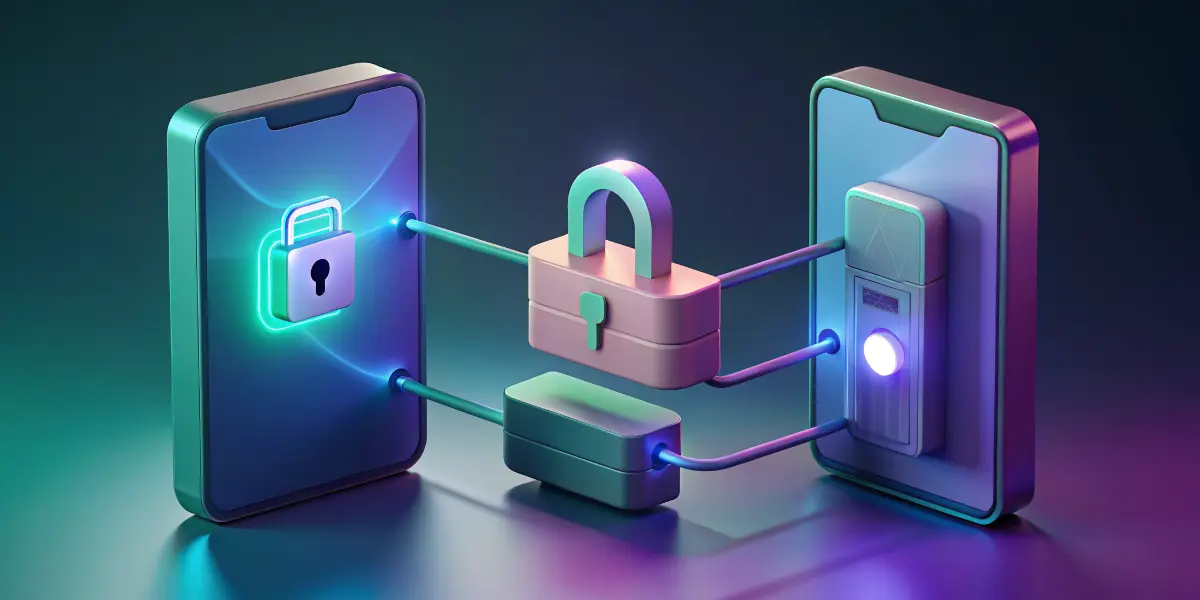
- It creates a secure "tunnel" between your device and the internet.
- It encrypts your data so nobody (including hackers or even your internet provider) can see what you're doing online.
- It also changes your IP address, so you appear to be browsing from a different location. That helps with privacy and with reaching region-restricted content.
Do VPNs Work on Phones and Tablets?
Yes, 100%. As more people move to mobile-first internet use, VPN providers are putting a lot of work into making their mobile apps powerful and easy to use.
What Devices are We Talking About?
VPN apps are available for:
- iPhones and iPads (iOS)
- Android phones and tablets
- Amazon Fire tablets (some VPNs support them)
If it runs a mobile operating system, there's probably a VPN app for it.
Why Use a VPN on Your Phone or Tablet?
You might be thinking, "I only use my phone for TikTok and texting my mom. Who's spying on that?" More people than you'd expect.
These are some practical reasons to use a VPN on mobile:
1. Public Wi-Fi is a security nightmare
Starbucks Wi-Fi is convenient, but it isn't safe. Anyone else on that network could intercept your data. A VPN protects your data even on the most suspicious free Wi-Fi hotspots.
2. Avoid tracking by ISPs and apps
Apps and internet service providers often track what you do online. A VPN helps mask your browsing habits so you're less of a data goldmine.
3. Access geo-restricted content
If you want to stream a show that's only available in another country, or use an app that isn't offered in your region, a VPN can make that possible.
4. Bypass censorship or restrictions
In some countries, social media or news websites might be blocked. A VPN can help you get around those restrictions safely.
Setting Up a VPN on Your Mobile Device
Setting up a VPN sounds technical, but most modern apps make it very easy. Here are the basics for iOS and Android:
For iPhone/iPad:
- Download a VPN app from the App Store. Some popular ones: ExpressVPN, NordVPN, Surfshark, ProtonVPN (many offer free trials).
- Install and open the app.
- Sign in or create an account.
- Give permission when prompted. You'll be asked to allow the VPN configuration, so tap "Allow".
- Pick a server and connect.
That's it. Your traffic now runs through the VPN tunnel.
For Android Phones and Tablets:
- Download your chosen VPN app from Google Play.
- Open the app and log in.
- Follow on-screen instructions. Usually this just means tapping "Connect" and allowing access.
- Choose a location/server if you want to spoof your region.
Your Android device is now protected.
Tips to Make Sure Your VPN is Set Up Properly
Once the app is installed, check that it is working.
1. Check Your IP Address
Go to a site like whatismyipaddress.com before and after launching your VPN. Your IP address should change when the VPN is on.
2. Use the Kill Switch Feature
Many VPNs come with a kill switch, a feature that blocks internet traffic if your VPN connection drops. That way you never leak unprotected data by accident.
Check your app settings and toggle this ON.
3. Set It to Auto-Connect
If you tend to forget to turn the VPN on, use auto-connect. Most apps let you auto-connect on startup or when joining unknown networks. Turn on this setting and you won't have to think about it.
4. Choose Reliable Servers
Stick to VPN servers that are stable and not overcrowded. You'll get better performance and fewer headaches.
Things VPNs on Mobile Can and Can't Do
Here's what to expect:
Can:
- Protect you on public Wi-Fi
- Hide your browsing from ISPs and snoops
- Access blocked content
- Mask your IP/location
Can't:
- Make you 100% anonymous online (apps and sites may still track you with cookies or logins)
- Stop malware or phishing (that's the job of your antivirus or browser)
- Speed up your internet (it usually slows it slightly due to encryption and rerouting)
Bonus Tip: For maximum protection, use a VPN + incognito mode and avoid logging into personal accounts when privacy is a concern.
Best VPN Apps for Phones and Tablets (Our Picks)
There are a lot of VPNs out there. These tried-and-true options work well on mobile:
1. ExpressVPN
- Very fast and highly secure
- Slick app for all device types
- 24/7 support
- Kill switch and split tunneling
- 30-day money-back guarantee
2. NordVPN
- Over 6,000 servers globally
- Great mobile UI
- CyberSec feature for malware/phishing
- WireGuard protocol for speed & security
- Affordable multi-device plan
3. Surfshark
- Budget-friendly
- Unlimited devices
- CleanWeb ad and malware blocker
- Bypasser for specific apps or sites
4. ProtonVPN
- Made by the team behind ProtonMail (serious about privacy)
- Great free plan with no data caps
- Strong no-logs policy
- Based in Switzerland (a privacy-friendly country)
VPNs and Battery Life: Should You Worry?
A common worry is: "Will a VPN drain my battery like crazy?"
Not much. Encrypting data and keeping a connection open does use a bit more energy, but nothing dramatic. Watching 4K videos over 5G will drain your phone faster than any VPN.
Tip: If battery's a big concern, only enable the VPN when you're on public Wi-Fi or doing sensitive stuff like online banking.
Staying Safe Beyond the VPN
A VPN is like a strong front door, but you still need good habits. A few more mobile safety tips:
- Update your apps and OS regularly
- Use strong, unique passwords
- Bonus: Use a password manager like LastPass or Bitwarden
- Avoid sketchy apps (read reviews before installing)
- Turn off Bluetooth and Wi-Fi when not in use
Staying safe online comes down to the right tools plus smart habits.
Should You Use a VPN on Your Phone or Tablet?
Short answer: yes.
Most of us are online and being tracked nearly all the time. A VPN on your mobile device is one of the simplest ways to stay private and secure. It also takes under 5 minutes to set up, which is less time than it takes to order a latte.
If you haven't already, pick a reputable VPN and install it on your devices.
Quick Recap
- VPNs do work on phones and tablets
- They encrypt your data and hide your IP
- Especially useful on public Wi-Fi
- Easy to install and set up with most apps
- Best used in combo with smart browsing habits